
Structures
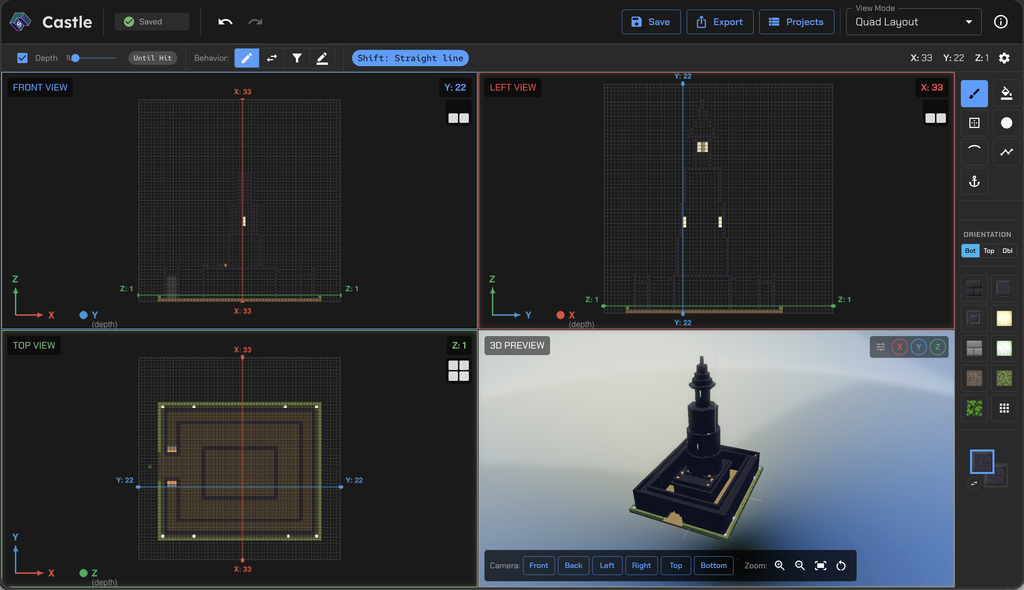
Build in your browser. Then use a “wand” in Minecraft, and your build animates into existence around you, as the camera pans around.
Structures started as a pile of “what if” questions we asked while playing Minecraft together.
- What if we could make a castle appear in front of us?
- What if we could throw a snowball that builds walls around whatever it hits?
- What if an arrow could build a bridge back toward us from wherever it lands?
- What if…
It also came from wanting to build big things quickly, the kind of builds that take a long time to place block by block in the game.
How it works
- Build your structure in the editor.
- Pick an animation.
- Export a
.mcaddonfor Bedrock (1.26.50 or newer) or a data pack for Java (26.3). - Import it, turn it on in your world, and craft or give the special item.
- Use the item, and your build animates in around you or in front of you. On Bedrock, it has some cinematic camera movement.
Read how Structures was built, from the ideas to the challenges.